Sunday, December 17, 2006

Wink 2.0 - Presentation creation


Wink is a Tutorial and Presentation creation software, primarily aimed at creating tutorials on how to use software (like a tutor for MS-Word/Excel etc).

Using Wink you can capture screenshots of your software, use images that you already have, type-in explanations for each step, create a navigation sequence complete with buttons, delays, titles etc and create a highly effective tutorial for your users.

Output formats: Export your presentations as Macromedia Flash, Standalone EXE, PDF, PostScript, HTML or any of the above image formats. Use Flash/html for the web, EXE for distributing to PC users and PDF for printable manuals.

The author also provides a support forum Here.

New in version 2.0

· Translated to more languages
· Undo/Redo
· Unlimited textboxes
· Unlimited buttons
· URL Buttons to open a webpage when clicked
· Image objects
· Shape objects, create and use shapes just like callouts with no text
· Audio (can record while capturing, as well as add/edit later)
· Improved and simpler properties panel
· Improved flow of control in output swf file so no more flickering of title/callouts
when no buttons are used
· Ability to disable frames in a project so they won’t appear in output

FW4U Comments: Wow!. What a nice and very easy to use tool. If you're needing to create tutorials or demonstrations, you must have this app. It couldn't be easier. Comes complete with a comprehensive user guide as well.

This is one of the more professional freewares available. Kudos to the author for generously providing this very useful program. Thank you Satish!


Download Wink (2.76mb)

EasyCleaner - clean registry


EasyCleaner is a small program which searches Windows' registry for entries that are pointing nowhere. EasyCleaner also lets you delete all kinds of unnecessary files like temps, backups etc. You can search for duplicate files and you can view some intresting info about your disk space usage!


You are also able to manage startup programs, invalid shortcuts and add/remove software list. ToniArts may not be held accountable in any way if EasyCleaner affects your computer in a negative way.

List of some features:
Very nice interface!
-Finds invalid registry entries ----> deleting them speeds up your computer!
-Finds duplicate files ----> deleting them will free disk space!
-Finds all unnecessary files like backups, temps etc. ----> deleting them will free disk space!
-Finds all invalid shortcuts ----> deleting them will free disk space and increase usability!
-Manage programs starting at Windows startup! ----> who knows, you might even catch a virus before it gets serious!
-Manage Windows' add/remove software listing!
-Easily remove Internet Explorer's temporary Internet files, history and cookies!
-Very user friendly!
-Shows some intresting info about your disk space usage.
-Very customizable.
-Multi-language support!
-Uses only little amount of recources while running!
-Huge help file which gives you every little detail about EasyCleaner!
-And much more...

Download EasyCleaner 2.0 (2mb)

RegCleaner v4.3 - clean registry


RegCleaner, you can easily remove obsolete registry entries from software that you may have deleted ages ago.

What does RegCleaner do?


RegCleaner deletes registry entries. You can delete DLLs with the Shared DLLs feature, and shortcut files with the Startup feature. You don't even have to know what the registry actually is to be able to use RegCleaner.

Why should I use RegCleaner?

You should use RegCleaner because it's a good idea to keep the registry as clean as possible. Here are some examples to help you understand how RegCleaner can truly help you:

1. Say you've accidentally destroyed a nice shareware program what has a 30-day trial period. Later on, when you notice that it's been destroyed, you try reinstalling it, only to find out that you can't, because the program thinks that you're just trying to get another 30 days. If you first remove the program's registry entries, however, you may very well be able to reinstall the software and recover your trial period again.

2. You've found that your favorite program is an older version, and you want to download the latest whiz-bang version. The program, however, doesn't provide any uninstall utility, so you simply destroy its files and cross your fingers. But, as fate would have it, when you try to install the latest version, you see a dialog box such as this:
"Please uninstall the old version of this program before attempting to run this installation."

Great, now what?

Hang on; you simply remove the old program's registry entries with RegCleaner! Now you can continue installing the newer program version that you wanted to have originally (I'm using the word "programs", but most of these examples will apply equally to games and other software as well).
Download: RegCleaner v4.3
Ref:freeware4u.com

IrfanView 3.99 - graphic viewer


IrfanView is a very fast, small, compact and innovative FREEWARE (for non- commercial use) graphic viewer for Windows 9x/ME/NT/2000/XP.

It is trying to be simple for beginners and powerful for professionals.

IrfanView is trying to create new and/or interesting features in its own way, unlike some other graphic viewers, which whole "creativity" is based on feature cloning, stealing of ideas and whole dialogs from ACDSee and/or IrfanView! (for example: XnView is stealing/cloning features and whole dialogs from IrfanView, since 5+ years).

Download IrfanView 3.99 (1mb)

FoxMail 5

Foxmail is one of the most popular Internet email client, especially in China, more than 3 million people are using Foxmail to handle their email everyday, and the English version is also widely used in more than 20 countries.


Main Features
* Compact yet powerful
* Remote mail management, downloads/deletes emails directly from the mail server
* Local mailbox with encryption feature and address book
* Hotmail proxy to receive email from Hotmail as POP3 server
* Compose HTML format email with WYSWYG, and read HTML email
* Support multiple accounts, each account with independent setting
* Import/Export mails from/to Microsoft Outlook, Exchange, etc
* Mail-Express Service (email is delivered to the destination?s mailbox directly without any SMTP server relaying)
* HTML/Text email templates, full customizable
* Rolling bar for new coming emails
* English spelling Checks
* Automatic email address typing completion
* And much more?

Download FoxMail 5.0 (3.80 MB)

XYplorer - File Explorer

XYplorer is an Advanced File System Explorer. It comes with a Windows Explorer-like interface but a far broader scope: you get much more information and you get it all on the fly, plus variously enhanced functionality and ease of use, extended file find, reporting features, multimedia preview, and ASCII/binary file view.

The program design follows a Keep It Simple philosophy: the interface is kept as plain and intuitive as possible, and does not confront you with an overload of buttons, toolbars, or menus. Since it closely adheres to the look and feel standards known from Explorer, you'll need no time at all to start working, and only a few minutes to get familiarized with the additional features. Contrary to other Explorer replacements, TrackerV3 is very small, very fast, and uses very little memory resources.

Download (File Size: 633.42 KB)

BASK


BASK is a simple synchronization based backup and restore utility. BASK provides many different file set operations that allow you to backup, restore, and delete files from source and destination folders.

BASK file sets allow you to specify a source folder, patterns (or wildcards) to include and exclude, folders to exclude, a destination, and a mapping.

BASK provides settings that allow you to:

-Span a file set over multiple disks
-Use the modified date and time, as well as size of files to determine whether need to be backed up or not
-Use the Archive attribute of files to determine whether they need to be backed up or not
-Use the version information of a single file to determine whether the whole file set needs to be backed up or not
-Interactively resolve a file set's outcome
-Store the file set information in memory (which you can turn off to conserve memory and speed up the scanning process for really big file sets)
-Automate file set operations, or, alternatively, automate scanning a file set and being prompted to take some action if there are new, changed, or missing files found
-And more

BASK is compatible with all versions of Windows 98, Windows Millennium, Windows NT 4.0, Windows 2000, and Windows XP. Note that disk spanning and recycle bin support are both disabled in the original shipping version of Windows 95 (also known as Windows 95a, or the Retail version of Windows 95) unless you install a recent version of Internet Explorer. Windows 95 is no longer directly supported.

Saturday, December 16, 2006

Google App - Top 10

This is a personal top 10 of the best Google applications in 2006. I included
both software and web applications, applications launched or updated this year,
tools that make your life easier.


10. Blogger Beta

The new
Blogger
, launched in August, brings dynamic serving, easier-to-manage
templates, labels, but - most of all - a reliable platform and integration with
Google by using Google Accounts. After being neglected a long period of time,
overwhelmed by outages, Blogger has been given a new life.


9. Picasa + New
Picasa Web Albums

Picasa added

many useful features
this year (geotagging, nested folder view, better
thumbnails), but the biggest update was its online extension. Picasa Web Albums
is a place where you can upload your albums from Picasa and share them with your
friends. While the space is not very generous (only 250 MB, upgradeable for a
fee), Picasa Web Albums lets you add friends, has comments,

tags and search
. But, most of all, it's only for you and your friends.


8. New
Google Calendar


After months of waiting, Google Calendar launched in April as a way "to keep track of all the events in your life, coordinate schedules with friends and family, and find new things to do". Google Calendar lets you share calendars or just events, get SMS notifications, search your calendar, other public calendars and public events. Unfortunately, there isn't an easy way to synchronize your calendar with Outlook or your mobile phone.


7. Google Video

Google Video

has shifted its mission
from searching TV shows captions to searching all
the videos in the world, one by one (including user-generated videos).

The video store
wasn't successful, but Google Video continued to add
features: popular videos, uploading videos online, ratings, comments, labels.
But most of them were added a long time after they were included in YouTube, its
major rival. Adding Google Video to Google's homepage didn't help it too much,
so Google bought YouTube.
Contextual
video ads
, launched this year, will have a big exposure, while Google tries
to make deals with content providers.


6. Google Books + Google Scholar

A new interface for book search, PDF downloads for public domain books and a
big effort to digitize books. Google Scholar now ranks recent papers by importance and lets you find papers in libraries.


5. Google Reader

Google's feed reader changed its interface and became everybody's favorite. The new views expanded view and list view) continue to support the idea of "river of news". Now you have more control over what you read, a way to tag posts and feeds, infinite scrolling and an easier to propagate your favorite articles. Google Reader still lacks search, but its big flexibility has the advantage of suiting everyone's needs.


4. Google Maps + Google Earth + New SketchUp

Google Maps added more imagery, a better zoom, more mobility, live traffic, and continued to be used in a lot mashups. Google Earth added support for Linux, included more featured content and drawing tools (for the free version). Google also acquired @LastSoftware, the creators of SketchUp, a powerful tool for creating, viewing, and modifying 3D models. SketchUp now has a free version.


3. New Google Docs & Spreadsheets

After buying Writely, an online word processor, Google developed a spreadsheet application and created the foundation of an office suite. The applications, that weren't meant to replace desktop office suite, made it easy to collaborate with other people and stored your files online, so you can access them from anywhere. In October, the two applications merged and became
Google Docs & Spreadsheets. Google targets consumers, organizations and small businesses that don't use all the features of a full-fledged office suite, but need an efficient solution for their daily tasks.


2. Gmail

Gmail didn't get out of beta this year, but it added two mobile versions (a Java client and
a web page), integrated Google Talk, added a delete button, feeds, and
MP3 player
and an option to fetch mail from POP3 accounts. Gmail is the link between all Google's collaborative applications.


1. Google Web Search

Google did many interface experiments , tweaked its algorithms, added more OneBox results,
more direct answers, malware warnings. Google Co-op, a collaborative effort to improve search results by using experts, is also a platform for developing custom search engines. A unified search engine, somehow anticipated by the SearchMash experiment, is something to watch in the year to come.

From: http://googlesystem.blogspot.com

PortableApps Suite 1.0


PortableApps Suite is a collection of portable apps including a web browser, email client, office suite, calendar/scheduler, instant messaging client, antivirus, sudoku game, backup utility and integrated menu, all preconfigured to work portably.


Just drop it on your portable device and you're ready to go.

All versions of the PortableApps Suite include the integrated PortableApps Menu and the PortableApps Backup utility along with a set of custom icons, an autoplay configuration, folders and a quick start shortcut.

Here are some key features of "PortableApps Suite":

· ClamWin Portable (antivirus),
· Firefox Portable (web browser),
· Gaim Portable (instant messaging),
· OpenOffice.org Portable (office suite),
· Sudoku Portable (puzzle game),
· Sunbird Portable (calendar/task manager),
· Thunderbird Portable (email client)


All runs comfortably from a 512MB drive.

Consider the Possibilities...
· Carry your web browser with all your favorite bookmarks
· Carry your calendar with all your appointments
· Carry your email client with all your contacts and settings
· Carry your instant messenger and your buddy list
· Carry your whole office suite along with your documents and presentations
· Carry your antivirus program and other computer utilities
· Carry all your important passwords and account information securely

Consider the Convenience...
· Have your favorite websites handy to recommend to a friend or colleague
· Have your presentation AND the required software ready to go for that big meeting
· Have your password with you if you want to bank online while traveling
· Have utilities handy when visiting family or friends that are having PC problems

Download
Mirror 1 - PortableApps Suite: standard edition (80 Mb)
Mirror 2 - PortableApps Suite: lite edition (30.4 Mb)

Friday, December 15, 2006

Universal Extractor 1.4.2


Universal Extractor is a program do to exactly what it says: extract files from any type of archive, whether it's a simple zip file, an installation program, or even a Windows Installer (.msi) package. This is still a work in progress (see details below), but so far it's proven quite useful and I feel others can also benefit
from it.
I should stress that this application is not intended to be a general purpose archiving program. It will never replace WinRAR, 7-Zip, etc. What it will do is allow you to extract files from virtually any type of archive, regardless of source, compression method, etc. The original motivation behind this project was that I wanted an easy, convenient way to extract files from installation packages, such as Inno Setup or Windows Installer packages, without pulling up a command line every time. In the process I got a little carried away and ended up throwing in support for every kind of archive format I possibly could find.


Universal Extractor, like most of my Windows programs, is written in AutoIt, a powerful open source scripting language. Universal Extractor itself, however, is just a front-end that uses many other programs to do the dirty work.

DAEMON Tools 4 - multiprotection emulation


DAEMON Tools is an advanced application for multiprotection emulation. DAEMON Tools is further development of the Generic Safedisc emulator incorporating all its features. This program allows running backup copies of SafeDisc (C-Dilla), Securom or Laserlock protected games.Also included is a Virtual DVDROM drive (V386 STEALTH DVDROM) enabling you to use your CD images as if they were already burned to CD.


DAEMON Tools works under Windows9x/ME/NT/2000/XP with all types of CD/DVDROM drives (IDE/SCSI) and supports nearly any CD protection.


FileZilla 3.0 - FTP client


FileZilla is designed as a small but powerful FTP client with many features. The program includes a site manager to store all your connection details and logins as well as an Explorer style interface that shows the local and remote folders and can be customized independently.


FileZilla offers support for firewalls and proxy connections as well as SSL and Kerberos GSS security. Additional features include keep alive, auto ascii/binary transfer and more. A nice program for beginners and advanced user alike.


WinMerge 2.6.2


WinMerge is an Open Source visual text file differencing and merging tool for Win32 platforms. WinMerge is highly useful for determing what has changed between project versions, and then merging the changes between versions.


Cool Features: Uni-Code support
Download WinMerge: (1) (2)

Opera 9.02 - Web browser


It's a fast, fun and easy way to browse the Web. Opera 9 comes loaded with the tools to keep you productive and safe. Try it today, it's absolutely free!


The most full-featured Internet power tool on the market, Opera includes tabbed browsing, pop-up blocking, integrated searches and advanced functions like Opera's groundbreaking e-mail program, RSS Newsfeeds and IRC chat. And because we know that our users have different needs, you can customize the look and content of your Opera browser with a few clicks of the mouse.
Note:
This version of "Opera for Windows" without Java


Spyware Doctor 4


Spyware Doctor has been downloaded over 75 Million times; with a million more downloads every week. Millions of people worldwide use Spyware Doctor to protect their identity and PC security.


Spyware Doctor has consistently been awarded Editors' Choice, by leading PC magazines and testing laboratories around the world, including United States, United Kingdom, Sweden, Germany and Australia. All current versions of Spyware Doctor have won Editors' Choice awards from PC Magazine in United States. In addition, after leading the market in 2005, Spyware Doctor was awarded the prestigious Best of the Year at the end of 2005.


Spyware Doctor has the most advanced update feature that continually improves its Spyware fighting capabilities on daily basis. As Spyware gets more complex to avoid detection by AntiSpyware programs Spyware Doctor responds with new technology to stay one step ahead.


BitComet - Torrent sharing


Bitcomet is a p2p file-sharing freeware fully compatible with BitTorrent, designed for the high-speed distribution of 100MB or GB sized files. BitComet is a easy-to-use multitorrent client for Win32 platforms, along with lots of improvements.Support download certain files within torrent, disk cache, fast resume, port mapping, speed limits, etc. Small, clean, and fast.

No adware or spyware.

Download BitComet 0.80 Now

PC Wizard 2006


PC WIZARD 2006 is a powerful utility designed especially for detection of hardware, but also some more analysis. It's able to identify a large scale of system components and supports the latest technologies and standards. This tool is periodically updated (usually once per month) in order to provide most accurate results.


PC WIZARD 2006 is also an utility designed to analyze and benchmark your computer system. PC Wizard can analyze and benchmark many kinds of hardware, such as CPU performance, Cache performance, Hard Disk performance, RAM performance, CD/DVD-ROM performance, Removable/FLASH Media performance, MP3 compression performance, Video performance.

Free Hide Folder


Free Hide Folder enables you to hide personal folders from prying eyes or unauthorized access. Once hidden the folders are no longer visible from within Windows Explorer. You can select one or more folders and toggle their hide/show status from the password protected interface. An integrated backup options enables you to backup your folder settings (not the data) to a file.

Wednesday, December 13, 2006

Google Talk


Google Talk is a simple and free way to talk with and send instant messages to your friends. Like Gmail, Google Talk uses Google's innovative technologies to help people communicate more effectively and efficiently. Think of it as Google's approach to communications.


Google Talk is easy and intuitive to use. All you need to make free calls is an Internet connection, a microphone, and a speaker. After you download Google Talk, sign in with your Google or Gmail username and password. Invite your friends to download Google Talk, and once they do, you'll be able to talk or IM with them instantly.


WordWeb Dictionary Tools


Wordweb is a feature rich software that does much more that a paper dictionary or thesaurus. WordWeb is truly a Word Web - each set of synonyms is linked to other related sets. Look up "tree", click on the "Types" tab and you'll have a list of different types of tree. Click on "Part of" and WordWeb will tell you that a tree can be part of a "forest" or "wood".

WordWeb is a free cut-down version of the WordWeb Pro software. The comprehensive English thesaurus and dictionary includes: Definitions and synonyms; Proper nouns; Related words; Pronunciations; contain 140000 root words; 115000 synonym sets.


WordWeb is an uncomplicated to use dictionary and thesaurus. It comes with a local database of definitions and is dictionary is quite complete. You not only get the spelling of the word, but the meanings dealing with every category for that word such as nouns and verbs. You are also given synonyms, attributes, the different types, and the types of the subject word. If a word is not found in the local database, it offers to look up the word using the internet.

The layout is expandable to the full screen but it's not really necessary as you can run this program in a small window quite well. There is an option that lets you keep the program "on top" which makes stay on top of any application no matter where you click. The top box is where your word is entered. The second box shows the definition of the word. The third box contains tabs with related words. To the right are the button icons which you can click on for the definition of the word as a noun, verb or adjective which ever is applicable. You can also scroll down the definition to get the same information.

WordWeb can be opened from a small icon on your system tray (usually at the bottom right of the screen), or from a keyboard shortcut (by default, Ctrl+Alt+W). To look up a word in almost any program, just double-click on the word to select it. Then hold down your Control (Ctrl) and Alternate (Alt) keys at the same time and type the letter “W”.

I use WordWeb the most when I am browsing the internet. I created a demo where I used WordWeb to look up a word in a news story on a web page (just click on the button above to see it). WordWeb is simple and quite fast to use. You don’t have to grab a hard bound dictionary anymore. I highly recommend it.


Download wordweb 4.5 or Visit website

Ewido > AVG Anti-Spyware


Anti-Virus programs offer insufficient protection against urgently growing threats like Trojans, Worms, Dialers, Hijackers, Spyware and Keyloggers.

That's where the protection of AVG Anti-Spyware begins and supplements existing security applications to create a complete security system - because only a complete security system works effectively.


I counted many brand scanners on the internet and found that I actually have four different scanners. Three of them are spyware scanners; Spybot, Ad-Aware, and Microsoft AntiSpyware. The last one is Ewido. I installed it mainly because it can scans for Trojans. Having four scanners may seem a bit extreme safe but they are not really that much trouble because all of the scanners can be started together and run at startup. I do a scan once a week. When I do it, I launch each program, select the option to perform updates and minimize it. I then do the same thing to each scanner. Start the scanning process and leave it alone for about an hour. However, a screensaver uses many system resources which can slow down the scans, so you should turn it off temporary.


My main aim that installing the Ewido scanner is to be able to find Trojan horses. A Trojan horse is a bad behavior program that can infects your computer and allows a hacker to take control of it silently. A Trojan infection allows a third party to remotely access your computer. Technically, a Trojan is not actually a virus so your virus scanner may not detect it. Trojans do not replicate themselves like viruses so you must download them on onto your computer. Typically, they are disguised as something else (which is the basis of the name Trojan). Most people tend to think of Trojans as a virus; however, a virus scanner may catch only some Trojans but not all of them.

Note:
The first two weeks that you use the program, Ewido will have options for real time protection and automatic updates. These options will be disabled after two weeks when the program reverts to the freeware version (which is what I use). The scanner will continue to function identically to the commercial version.


Ewido Home Page: http://www.ewido.net/en
Download Ewido: http://download.ewido.net/ewido-setup.exe

Microsoft Windows Live Writer


The latest version of Windows Live Writer works smoothly with Blogger beta now. The log in works correctly; It detects and downloads the themes/templates; Posting is very smooth.


Publisher's Description:

Windows Live Writer is a desktop application that makes it easier to compose compelling blog posts using Windows Live Spaces or your current blog service. Blogging has turned the web into a two-way communications medium. The goal in creating Writer is to help make blogging more powerful, intuitive, and fun for everyone.


Windows Live Writer has lots of features which we hope make for a better blogging experience. Some of the ones we are most excited about include WYSIWYG Authoring, Photo Publishing, Map Publishing, Writer SDK, and Compatibility.


Latest Changes:

startup performance, Paste is enabled for Title region and TAB/SHIFT+TAB navigation between title and body supported, Insert hyperlink added to context menu when text is selected, Title attribute in Insert Link dialog, Custom date support for Community Server, Improved keyboard shortcuts for switching views, Change spell-check shortcut key to F7, Add ‘png’ to insert image dialog file type filter, More robust image posting to Live Spaces, Improved style detection for blogs, Fixed issues with pasting URLs and links, and Open post dialog retrieves more than 25 old posts

Download (1.0.141 Beta): http://download.microsoft.com/download/f/e/7/fe7b2757-e2d1-4f5f-aade-932ba12b3aab/Writer.msi

Google Toolbar for Internet Explorer

Google Toolbar increases your ability to find information from anywhere on the web. The toolbar appears along with the Internet Explorer toolbar. This means you can quickly and easily use Google to search from any website location, without returning to the Google home page to begin another search

With Google Toolbar, you can search or find anything on the internet easily. These are some features of Google Toolbar

  1. Add buttons to the Toolbarto search your favorite sites.

  2. Bookmark frequently visited pagesand access them from anywhere.

  3. Search smarter with instant suggestionsas you type in the search box.

  4. Share web pages with friendsvia blog, email, or SMS.

  5. Block annoying pop-ups

  6. Fill out web forms with one click

  7. Translate pages into English instantly

  8. Check your spelling in webmail messages

  9. Learn more


Download : http://www.google.com/tools/toolbar/T4/index.html

Google Web Accelerator

Google Web Accelerator is an application that uses the power of Google's global computer network to make Web pages load faster. It is easy to use; all you have to do is download and install it, and from then on many Web pages will automatically load faster than before. Google Web Accelerator is currently optimized to speed up web page loading for broadband connections.

Google Web Accelerator uses various strategies to make your web pages load faster, including: Storing copies of frequently looked at pages to make them quickly accessible; Downloading only the updates if a web page has changed slightly since you last viewed it; Prefetching certain pages onto your computer in advance; Compressing data before sending it to your computer

CCleaner - The Crap Cleaner


"CCleaner is a freeware system optimization and privacy tool. It removes unused files from your system - allowing Windows to run faster and freeing up valuable hard disk space. It also cleans traces of your online activities such as your Internet history. But the best part is that it's fast"


Year ago, I had run it. It's pretty good. It can clean your temporary files and spam registry in few click!

Sunday, December 10, 2006

VLC multimedia player


VLC media player is a highly portable multimedia player for various audio and video formats (MPEG-1, MPEG-2, MPEG-4, DivX, mp3, ogg, ...) as well as DVDs, VCDs, and various streaming protocols. It can also be used as a server to stream in unicast or multicast in IPv4 or IPv6 on a high-bandwidth network.

Support: Windows , Mac OS X, BeOS, Debian GNU/Linux, Ubuntu Linux, Mandriva Linux, Fedora Core, Familiar Linux, YOPY/Linupy, Zaurus, SUSE Linux, Red Hat Linux, WinCE / PocketPC, Slackware Linux, and ALT Linux

Download VLC Player (windows) View full features list

Thursday, November 30, 2006

Add-ons for Internet Explorer 7

If you're a fan of Internet Explorer, you might enjoy experimenting with add-ons for Internet Explorer 7 . The add-ons are categorized as follows:
Security
Time Savers
Browsers
Entertainment
There's nowhere near as many add-ons as exist for Firefox, and there's nothing there that stands out as a killer add-on, but there could be something there that you find interesting.
Take a look - you might find something that works for you. Most add-ons are free but some are commercial.

Wednesday, November 29, 2006

YouTube Video Downloader

There are tons of wonderful videos you can watch on YouTube. But are you too busy to watch long videos? Do you want to store them in your own drives? Do you want to download them then convert and transfer them to your iPod or PSP?
You no longer need bothering. Now,I find it is easy to downlod Youtube video by Orbit downloader.


1.Download Orbit downloader and install it

Any one can download Orbit downloader install-package from its homepage .
Orbit is also a light, feature-rich, resource-friendly download manager, which
support http/https/ftp/mms/rtsp protocol.Install Orbit step by step. Then may be
you need restart IE after install it.

2.Go YouTube to get started

Go YouTube and find a video you like. For example, I find "The
Last Knit
"(http://www.youtube.com/watch?v=M6ZjMWLqJvM).
Hover your mouse on the video, you will see a small button appeared near your
mouse, like this:


It is powered by Orbit downloader.

3.Download the video with a click

Click the button:


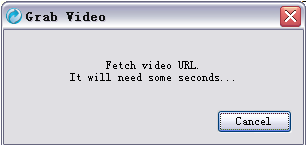
Then Orbit will pop up a dialog to fetch the video url. It will need about 2
seconds.


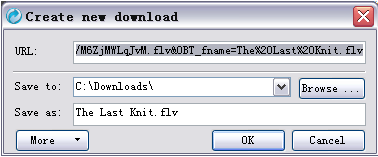
Soon, the "Create new download" dialog pop up. Click "OK",then the video is being downloaded.


That's all. Do you think it is a easy way to get videos as me?

Source: From the internet.